
Use the Trend Category to filter down to different categories like apparel, narrowing down to denim and pants - to see what are the top growing social trends in overall bottoms.
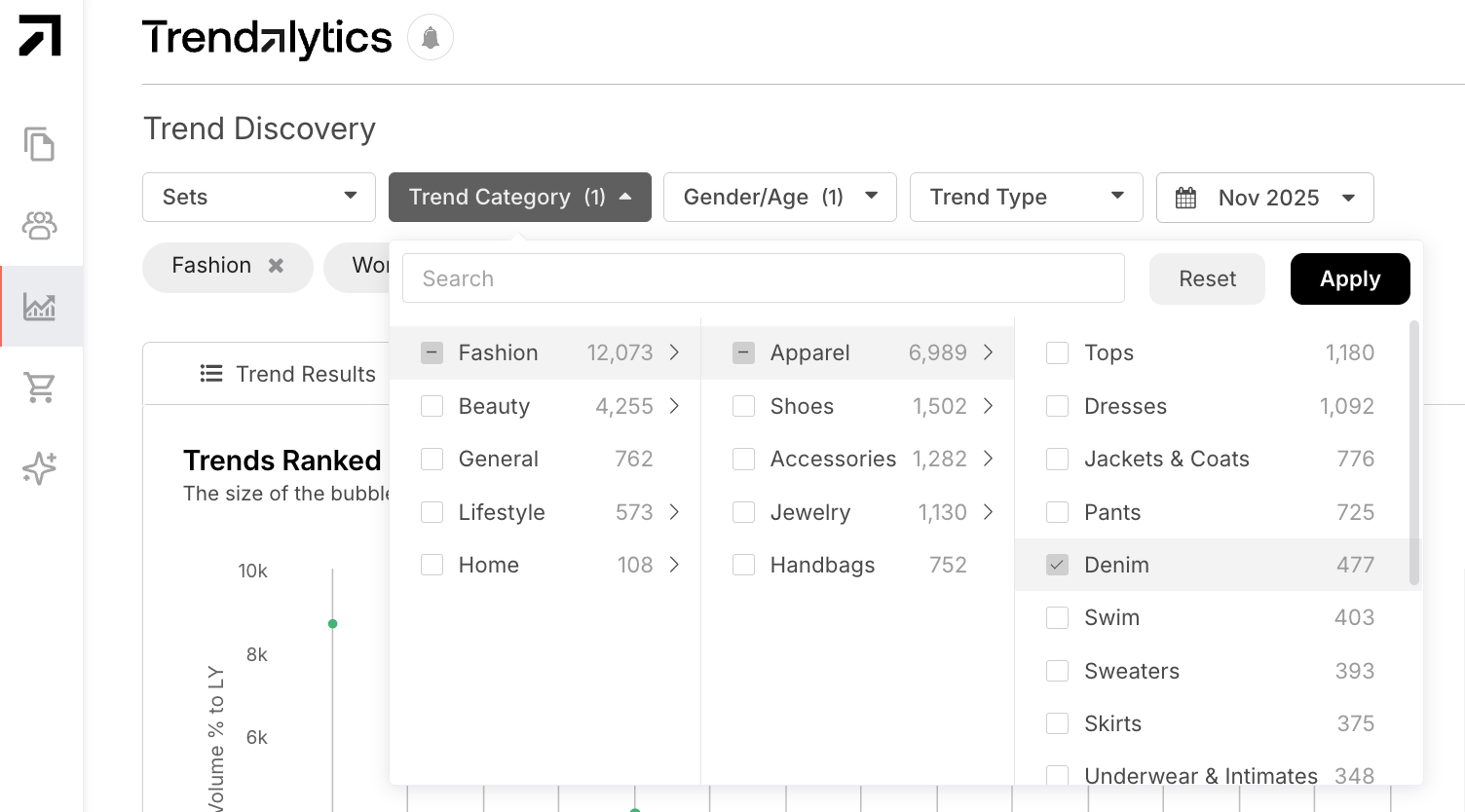
Scroll down to the Table View and identify which social platform you want to view a trends growth across. You can expand or collapse data sections to view the data of your choice.
In this example, we will refer to the TikTok section to see what the top trends are from a TikTok perspective. First, decide if you would like to see the top trends from the last month or from the last 3 months. To identify how large a trend is, look at the overall views and recent growth in views (period total) in the last couple of months. By clicking on the period total, you can sort from highest to lowest. Use the velocity metric to understand if the views or posts are growing or declining, indicating how the trend is performing.
Analyzing these metrics can identify trends that are growing on TikTok before they go viral and/or validate popular trends you are seeing on your social feeds.
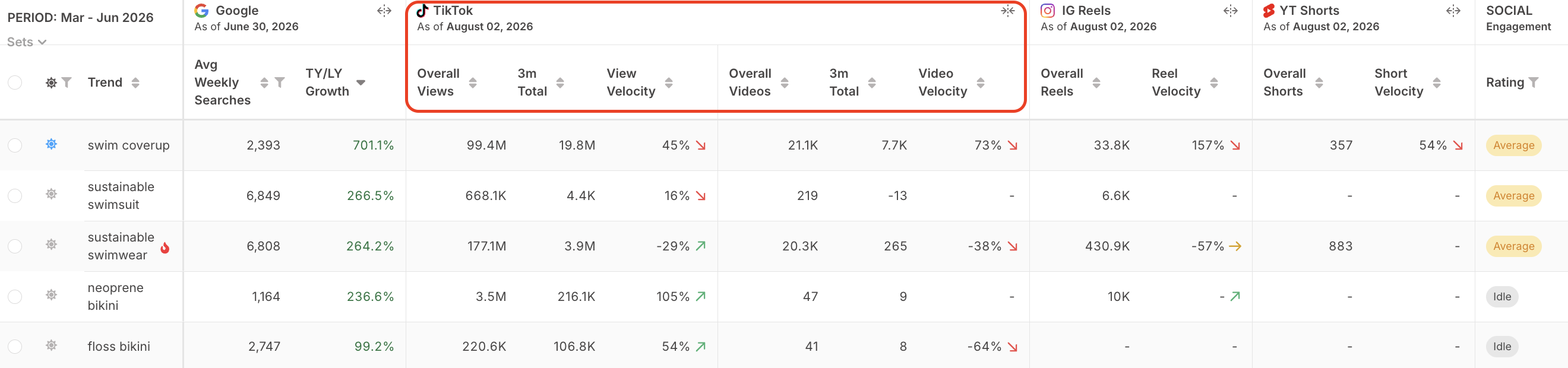
Note: Social data refreshes on a weekly basis, providing you with real time data for these trends.
TikTok, Instagram Reels, and YouTube Shorts data reflects how the broader public is talking about and engaging with these trends across social platforms. While that perspective is valuable, analyzing how key influencers and tastemakers are discussing trends can offer additional insight into emerging trends and the content your consumer is seeing in their social feeds.
Filter on Rating under Social Engagement and select Average or Strong to identify which trends influencers, brands, and retailers are highlighting in their social media posts. Social Engagement draws from the influencers, brands, and retailers we track across Instagram, TikTok, Pinterest, and Facebook, helping you focus on key tastemakers and reduce the noise from the broader social landscape. This data updates daily.
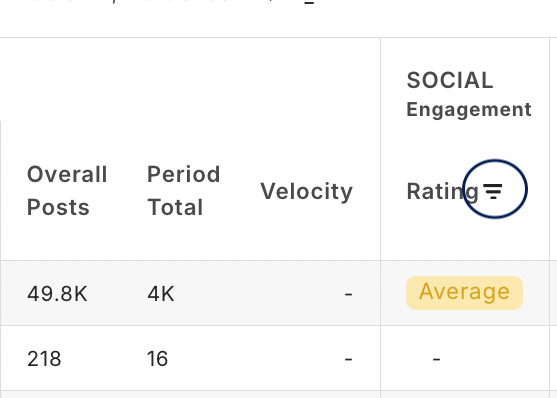
Note: The Key Influencers rating is a momentum signal — it just tells you whether this trend is currently above or below its own recent baseline. Seeing "Strong" in one and a lower tier in the other is expected and correct.

How and When to Use this Tool
- Identify which trends to call out for social/marketing: Utilize this data to identify which trends to call out in social media posts, marketing email blasts, or site merch strategies.
- Export to excel for easier use: Export your trend selections to excel to add more filters across multiple social data metrics.
- Use social data as inspiration: You can also use this social data as inspiration throughout the design process as well by understanding which trends are growing on TikTok. If you can react to trends quickly with a shorter lead time, utilizing social trends can help you understand which trends to focus on. If you have longer lead times and your consumer reacts to trends on a slower scale, understanding what people are talking about on social media now can help you with your assortment decisions.
For assistance, reach out to your Customer Success Manager with any questions.